
There are plenty of AI video tools floating around today, and almost every one of them promises something different. One platform focuses on prompt-to-video generation. Another only does talking avatars. A third platform is known for subtitles. A fourth tries to replicate motion graphics. What ends up happening is that creators bounce between multiple tabs, trying to stitch together a workflow from tools that never really talk to each other.
FlexClip takes a noticeably different route. Instead of trying to win the race in one narrow category, it combines a broad mix of AI tools into a single space. When you start using it, the platform does not feel like a dramatic tech invention. It feels more like a calm, practical workspace made for people who just want to create something without fighting their software.
This review is not written to hype up FlexClip, and it is not written to tear it down. It is meant to give a clear picture of what FlexClip actually does well, the places where it still has limits, and the type of creator who will find it genuinely useful.
What FlexClip Is Designed To Do
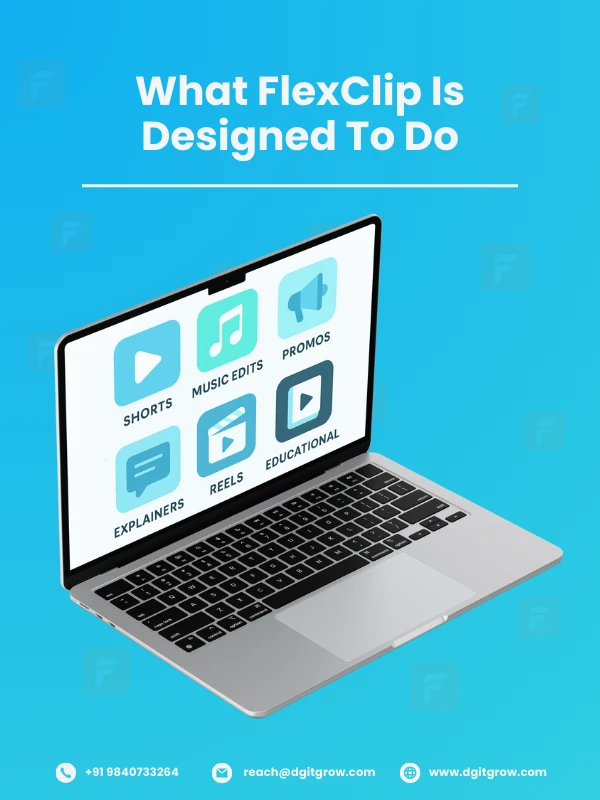
FlexClip describes itself as an AI-powered video maker, but that phrase does not really capture its personality. It behaves much more like a simple creative shelf that holds everything you might need for quick video creation. Short videos, lyrical edits, promotional clips, small explainers, training pieces, animated posts, educational visuals, and social media content all fit comfortably inside the tool.
It is not trying to replace high-end software. It is not aiming for blockbuster-level visual effects. It is built for people who want to produce something clean, straightforward, and timely. That includes designers, creators, educators, marketers, freelancers, students, and business owners.
If your usual workflow involves editing for hours and layering advanced effects, you may find FlexClip too light. If your goal is to produce fast content with minimal friction, it fits surprisingly well.
Where FlexClip Feels Surprisingly Strong

Short videos and lyrical content come out well
One of the first things you notice with FlexClip is how quickly it handles short-form content. Reels, animated snippets, ad-style cuts, lyrical edits, social videos, small intros, and branded clips are very fast to put together.
A lot of that speed comes from the templates. They are built with timing and pacing that already match the kind of videos people scroll through every day. Instead of adjusting transitions or guessing the right rhythm, you drop in your text or clips, and the timing already feels right.
The template library is bigger than expected
Some platforms say they offer templates, but really give you a handful of designs. FlexClip’s library is much deeper than that. You can find templates for marketing campaigns, product launches, music edits, slideshows, corporate intros, festival greetings, social media posts, and several niche topics.
If you want to check them out, here is the link.
For people who work under deadlines or need to produce content regularly, a solid template library is not just a convenience. It is a lifesaver.
A lot of AI tools are built directly into the editor
This is probably the strongest advantage of FlexClip.
Most AI tools only give you one speciality.
FlexClip gives you an entire basket of features.
All facts checked, FlexClip includes:
- AI text-to-speech
- AI music generation
- AI voice cloning
- AI photo restoration
- AI background removal
- AI image generation
- AI image to image
- AI script writing
- AI prompt to video
- Blog to video conversion
- Automatic subtitles
- Caption generation
For many creators, this replaces the need for several separate tools. Instead of using one site for images, another for voice, another for subtitles, and another for editing, everything stays inside one editor.
You can browse the full AI tool set here.
The interface stays simple and uncluttered
FlexClip’s interface feels intentionally calm. There is no maze of menus. No complex timeline system. No need to search for basic tools.
This also makes it easy for beginners or people who are not comfortable with traditional video editing. Teachers, founders, marketers, interns, and freelancers can make something polished without spending time learning the platform.
For many users, that simplicity can be a bigger selling point than advanced controls.
How FlexClip Compares with Other AI Video Tools

You cannot evaluate FlexClip without comparing it to the current frontrunners in the AI video world. Each major tool has a very clear identity.
Runway ML
Fantastic for generative video and wild visual experimentation.
Pika Labs
Great for artistic prompt-to-video clips with imaginative motion.
Synthesia
Focused on talking avatars, corporate training videos, and presenter style outputs.
InVideo AI
Popular for its automated text-to-video flow and rapid scripting engine.
Where FlexClip sits in all this
FlexClip does not try to beat any of these platforms in their strongest category. It follows a more grounded path.
Its purpose is to gather the creative essentials that most people use every day and place them inside one workspace where everything feels familiar. Scriptwriting, voice generation, image creation, editing, and animation all stay together instead of being spread across multiple tabs.
For creators who prefer simplicity over advanced control, this kind of unified setup often feels refreshing.
Where FlexClip Still Feels Limited
A fair review should also point out areas where FlexClip has not reached the same level of depth as some of its competitors.
1. Avatar animation is not its main strength
If your content depends on elements such as:
- Realistic lip syncing
- Talking presenters
- Full body character motion
- Consistent movement across scenes
FlexClip may not be the best option. Tools like HeyGen and Synthesia were built specifically for avatar-driven content and usually produce stronger results.
2.Character consistency exists, but remains simple
FlexClip Pro includes a feature that supports consistent characters. It works fine for light, image-based animations, but it does not match the precision or control which a high detail avatar rigs produce.
3.Not designed for mascot-style storytelling
If you need a repeating animated character that moves naturally across scenes with gestures and expressions, FlexClip will not give you that level of animation depth. It is better suited for short, clean visual stories rather than character-heavy narratives.
These limitations do not count as faults. They simply show the design direction of the tool. FlexClip focuses on speed, lightweight animations, and general-purpose video creation instead of cinematic character work.
One Line Summary
The premium version of FlexClip unlocks its full toolset and higher-quality export options, making it a practical choice for creators who prefer working inside a single platform that handles most of their day-to-day video needs.
Who Will Find FlexClip Most Useful
FlexClip tends to work best for people who want to:
- Produce short videos quickly
- Create simple animations
- Build lyrical or music-based visuals
- Make reels for social media
- Generate scripts, images, and audio without leaving the editor
- Work with templates instead of starting from scratch
- Keep their workflow fast and uncomplicated
The tool fits naturally into the daily routines of:
- Content creators
- Teachers and trainers
- Social media managers
- Designers
- Small business owners
- Musicians
- Marketers
- Students
Anyone who values speed, convenience, and ease of use will probably find it helpful.
Final Thoughts
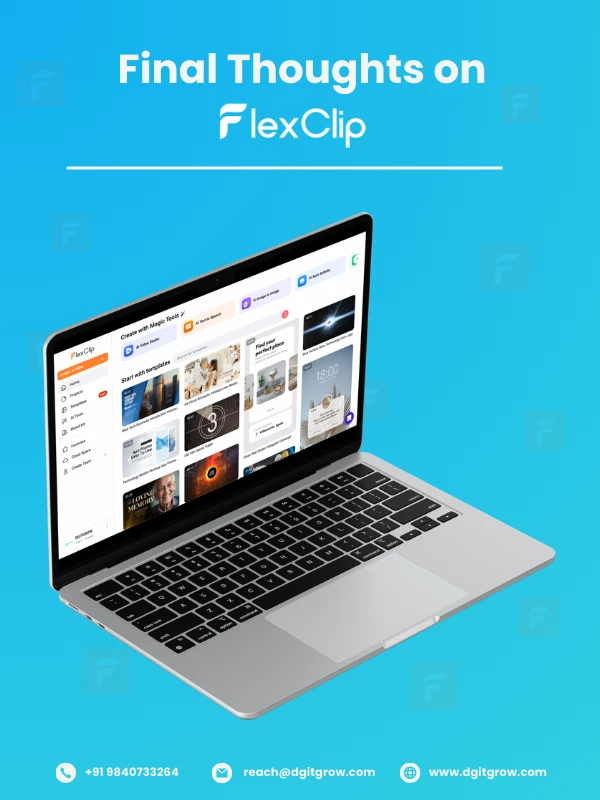
FlexClip is not trying to impress you with huge cinematic effects or advanced character technology. It is trying to give everyday creators a clean, reliable platform where they can write, generate, edit, animate, subtitle, and export videos without switching between multiple apps.
The tool works best when you need something quick, polished, and easy to manage. It brings together a broad selection of AI tools, keeps the interface clear, and helps people focus on the content instead of the software.
If you want a unified creative space instead of a scattered multi-platform workflow, FlexClip is one of the more practical choices in the current AI video ecosystem. Try here if you’d wanna give it a shot.